Products
The Products page lists the products Sill offers to agents for one site. Use it to load your products, choose which ones agents can find, and add the terms, privacy and returns details required before any product can be checkout-eligible.
Open Products in the top navigation (What agents see.). Only owners and admins can view or change the catalog; reviewers and viewers see a notice instead.
Load your products
Section titled “Load your products”Above the products table, the data source strip has two ways in:
- Sync from Shopify — shown when the site has a connected Shopify store. Click it to pull your current products; the caption shows when the last sync finished.
- Upload CSV — upload a file of up to 8 MB. Click Download template first to get a CSV with the right columns.
A connected WooCommerce store syncs its catalog through the WooCommerce connection in Settings → Integrations.
A site with no products shows one card with these two actions.
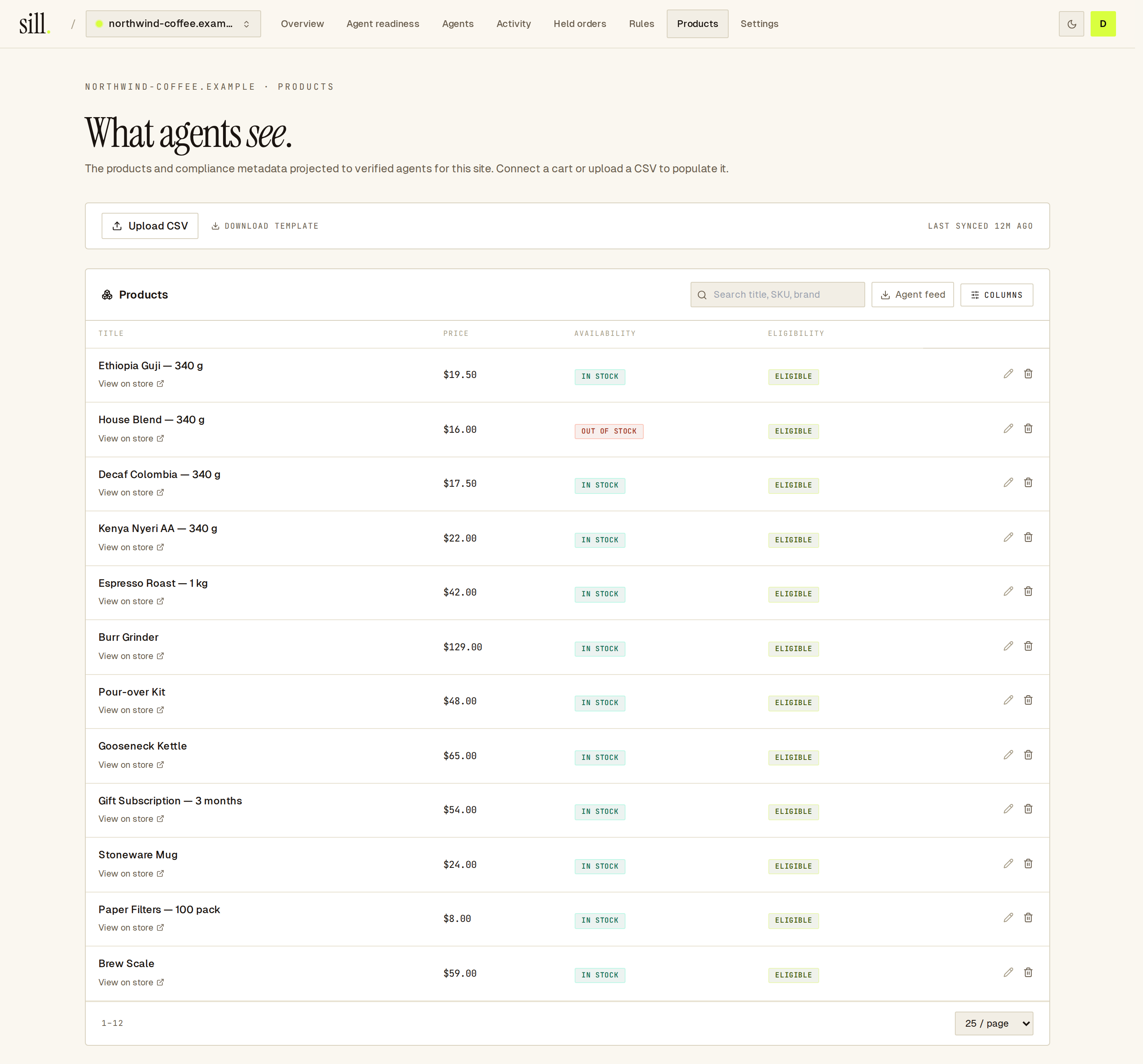 The data source strip sits above the products table.
Find and edit products
Section titled “Find and edit products”The table shows Title, Price, Availability and Eligibility. Use Columns to add Brand, SKU, GTIN, Sale price, Inventory, Kind, Source and Last synced.
- Click a column header to sort; click again to reverse.
- Search by title, SKU or brand.
- Show 10, 25, 50 or 100 rows per page (25 by default).
- Hover the Eligibility pill to see whether the product can be found and bought by agents, and why. Eligibility not activated yet means you have not turned on the rules below; Not matched by the current eligibility rules means the rules leave this product out; Not discoverable: reported out of stock means what it says.
Each row has edit and delete buttons. For products synced from Shopify, change them in Shopify and sync again.
Choose which products agents can find
Section titled “Choose which products agents can find”The Discoverable to agents card decides which products agents can find in search. Until you activate it, no product is discoverable.
- Read the suggestion, Suggested: make in-stock products discoverable to AI agents, and the preview of how many products it would include.
- Click Accept & activate.
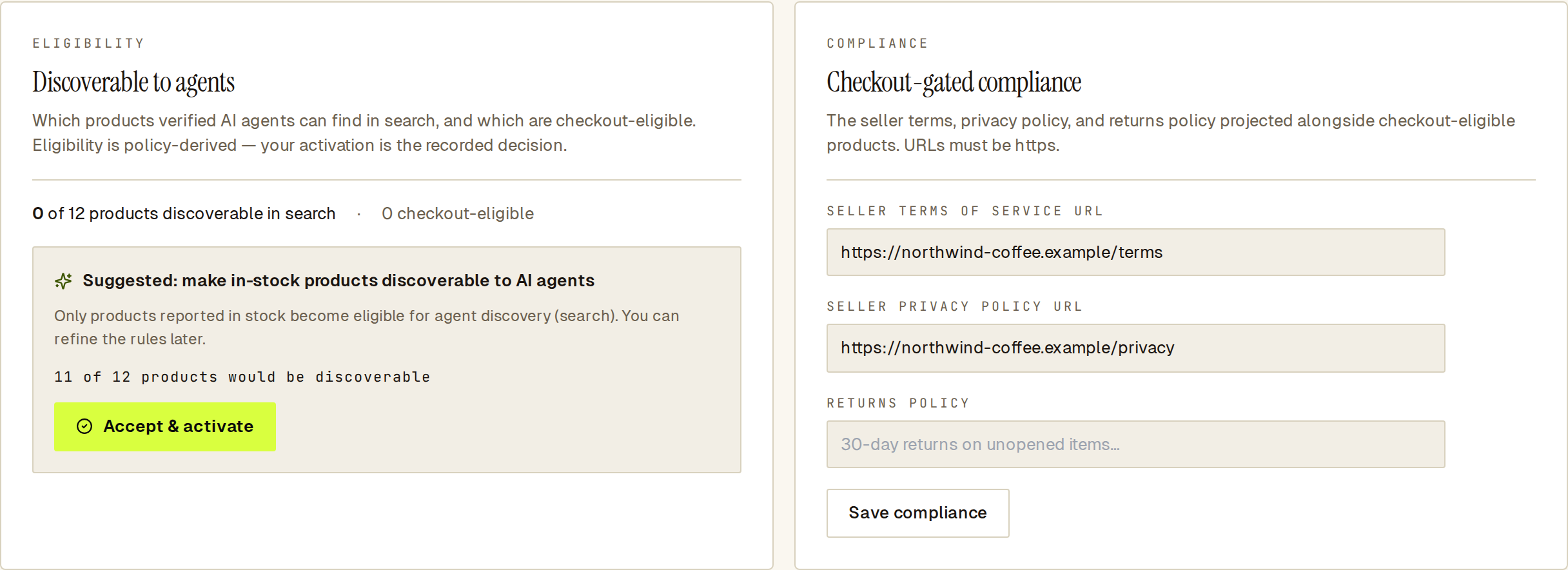 Before you activate, nothing is discoverable; the preview shows what the suggestion would include.
The eligibility pills in the table update straight away. Checkout eligibility is separate: it needs a connected payment rail, the policy details below, and a checkout rule, which the page offers once those are in place.
Add your policy links
Section titled “Add your policy links”The Checkout-gated compliance card holds three fields:
- Seller terms of service URL
- Seller privacy policy URL
- Returns policy
Fill them in and click Save compliance. The two URLs must start with https://; the returns policy is plain text. No product on the site is checkout-eligible until all three are filled in. Agent readiness flags a missing link and can prefill it from your site.
See also
Section titled “See also”- Agent readiness — finds missing policy links and other gaps.
- Skills — which skills depend on the catalog.
- Site settings — connect Shopify or WooCommerce.
- Agent card — your business details as agents read them.