llms.txt
llms.txt is a short plain-text (Markdown) summary of your site at a fixed path, following the convention at llmstxt.org. AI assistants read it to learn what you offer and where your agent endpoints are. Sill generates one for every verified site from your live settings and keeps it current; you can change the description and add your own sections.
Where it is served
Section titled “Where it is served”GET https://edge.sill.so/v1/llms/{site_key_hash}.txt| Install | llms.txt on your domain |
|---|---|
| Cloudflare Worker | https://your-domain/llms.txt, served through the Worker. |
| WordPress plugin | https://your-domain/llms.txt, served by the plugin. |
| Shopify app | Only on Sill’s edge. Your agent card links to it (llms_txt_endpoint). |
| Script tag only | Only on Sill’s edge. Add a redirect from /llms.txt if you want it on your domain. |
The file is cached for 60 seconds.
What Sill generates
Section titled “What Sill generates”In this order:
# Your store name, then a one-line description as a quote. Without your own description, the line readsAI-ready commerce endpoint for {domain}.(orInformation and agent endpoints for {domain}.for a site that is not a store).- Website: a link to your homepage.
- Store policies: returns window, shipping zones, currency, price range, subscriptions and links to your terms and privacy policy, for whichever of these you have confirmed. Left out when none are set.
- Agent Capabilities (MCP): your live skills, each linked to your MCP server. Left out when no skill is live.
- Discovery Endpoints: your signed agent card, MCP server and
/agentpage; for stores, also your ARD catalog and UCP business profile. - Your custom sections, if any.
Edit the description and sections
Section titled “Edit the description and sections”- Open Agent readiness for the site.
- Click Edit llms.txt. The editor has two fields:
- Description: one line, up to 280 characters, replacing the generated description.
- Custom sections: Markdown, up to 2,000 characters, added after the generated sections. Use it for things like shipping details, store hours or brewing guides.
- Check Preview: it shows the file as it will be served.
- Click Save changes. The new file is live within about a minute.
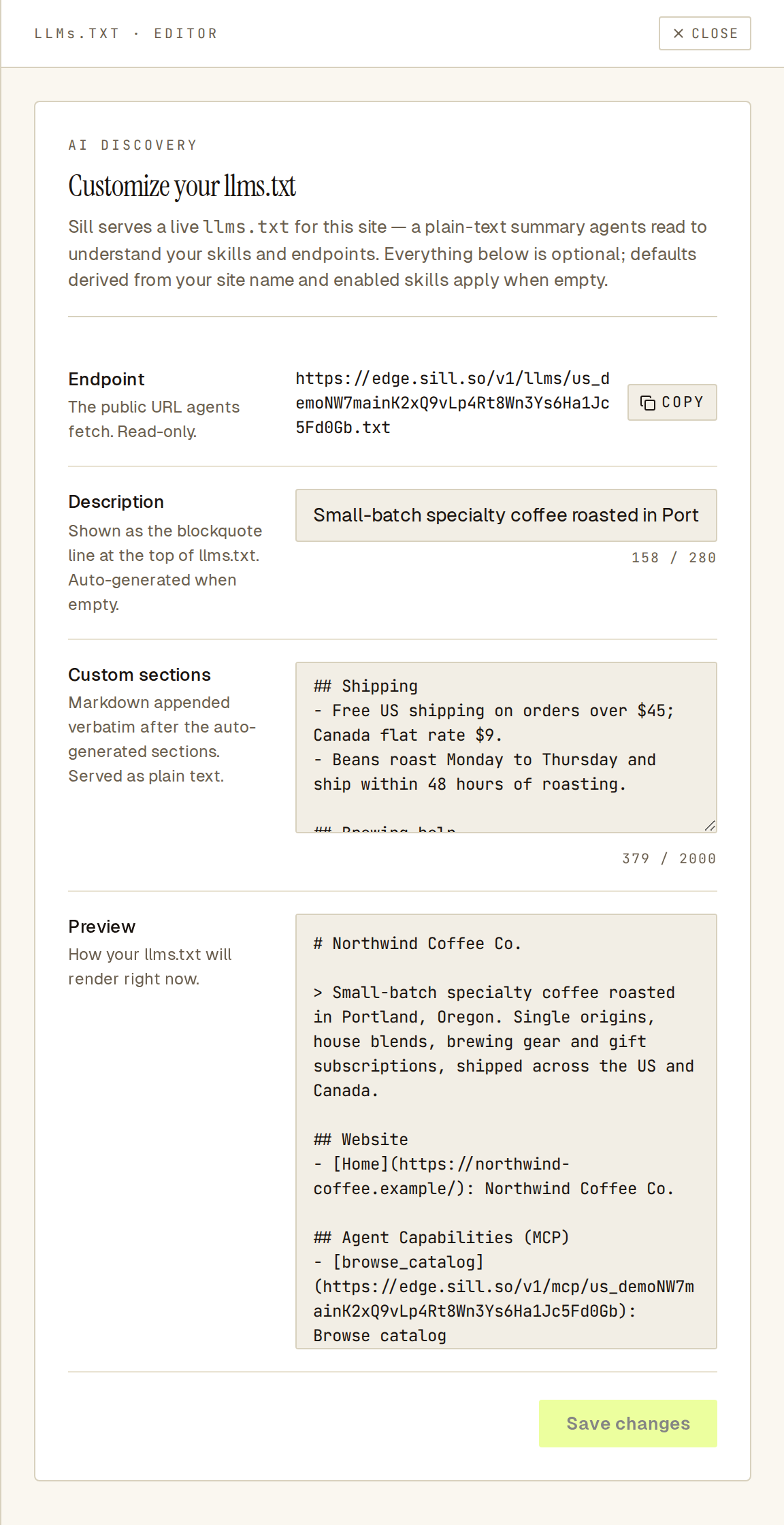 The preview is the exact file agents will read.
Both fields are optional. Clear them to go back to the generated text.
See also
Section titled “See also”- Agent card
- The /agent page
- What each install covers
- llmstxt.org: the convention.