The /agent page
Some AI assistants read web pages well but struggle to fetch raw JSON files. The /agent page gives them the same information as your signed agent card as an ordinary HTML page: your store, its discovery endpoints and the skills agents can use. Sill publishes one for every verified site.
Where it is served
Section titled “Where it is served”GET https://edge.sill.so/v1/agent/{site_key_hash}With a Cloudflare Worker or WordPress plugin install, it is also served on your own domain at https://your-domain/agent, and every HTML page carries a small hidden link to it. Your llms.txt links to it too. See What each install covers.
What the page shows
Section titled “What the page shows”- Your store name, with a short description when you have set one.
- Website and Store policies: your homepage, plus the returns, shipping, currency, price range and policy links you confirmed, when set.
- Discovery endpoints: your signed agent card, your signed ARD catalog, your MCP server, your
llms.txt, your UCP business profile, your/.well-known/api-catalogaddress, and the public JWKS for checking signatures. The catalog and UCP links appear for stores only. - Available capabilities: your live skills, each with its id and a one-line description. These are the same skills your agent card, MCP server and catalog list.
- How to buy (stores only), Authentication and Verification: two or three sentences each on signed orders and signature checks.
- A
<script type="application/ld+json">block with the same endpoints and skills as structured data. This block is not signed; check signatures on the agent card itself.
The page has no styling or scripts beyond that data block, so it reads the same in any browser or text-only fetcher.
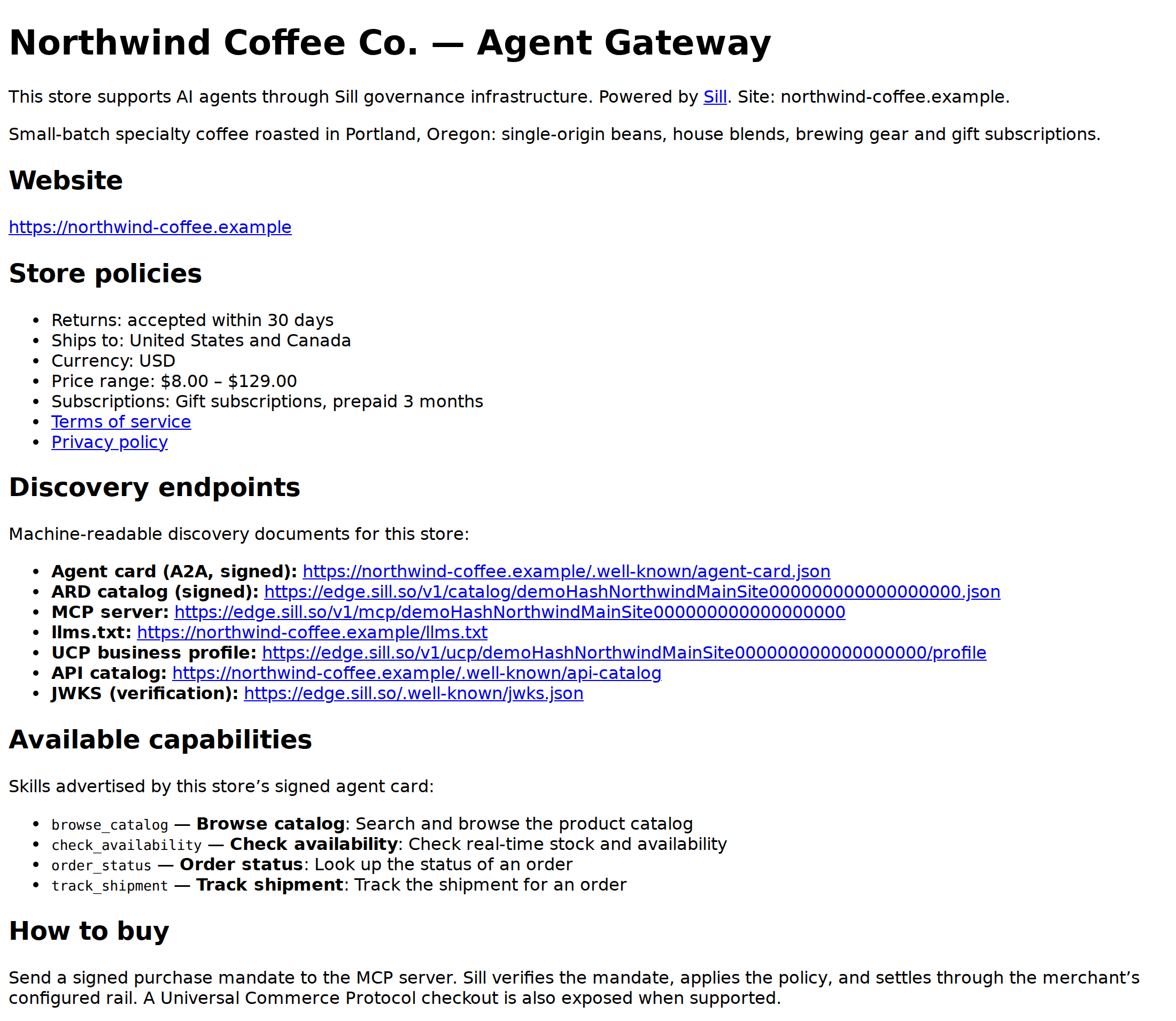 What an assistant sees when it opens your
 /agent page.
The page is cached for 60 seconds and may be served from cache for a few minutes more while it refreshes, so skill changes show up within a few minutes. A site whose domain is not verified yet returns 404.
Add it to your sitemap
Section titled “Add it to your sitemap”Add /agent to your sitemap.xml so search crawlers, including the indexes that AI assistants search, find it:
<url> <loc>https://your-domain/agent</loc></url>This only helps when the page is served on your own domain (Cloudflare Worker or WordPress plugin install).
See also
Section titled “See also”- Agent card: the signed JSON the page mirrors.
- llms.txt: the plain-text summary for AI assistants.
- What each install covers