Fulfill skills from your own endpoint
You can have a default read skill answered by your own HTTPS endpoint: browse_catalog, check_availability, order_status, track_shipment or recommend. Agents then get real answers even if your store runs on a platform Sill does not connect to directly.
You run the endpoint. Sill handles the agent side, signs every request it sends you, checks every response against the skill’s expected shape, and tests your endpoint before the skill goes live.
Set it up
Section titled “Set it up”- Open Settings → Skills and make sure the skill is turned on.
- On the skill, click Configure endpoint. In Configure endpoint · {skill}, enter an HTTPS URL on your verified domain in Fulfillment endpoint and click Save endpoint. Sill posts a signed JSON body to that URL for each call. (Default skills use a webhook only; MCP-server fulfillment is for custom skills.)
- Copy the secret Sill shows you. It is shown once; you need it to check Sill’s signature.
- In your endpoint, check the
X-Sill-Signatureheader on every request with that secret, then return the response shape for the skill. The Skill Fulfillment Contract has the request and response schemas and ready-made signature checks for TypeScript, Python and Go. - When you save, Sill tests the endpoint: it must be reachable, reject requests with a missing or wrong signature, and answer a signed test request with the right shape (or
404). The skill goes LIVE only when every check passes. If one fails, fix it and click Re-run activation battery.
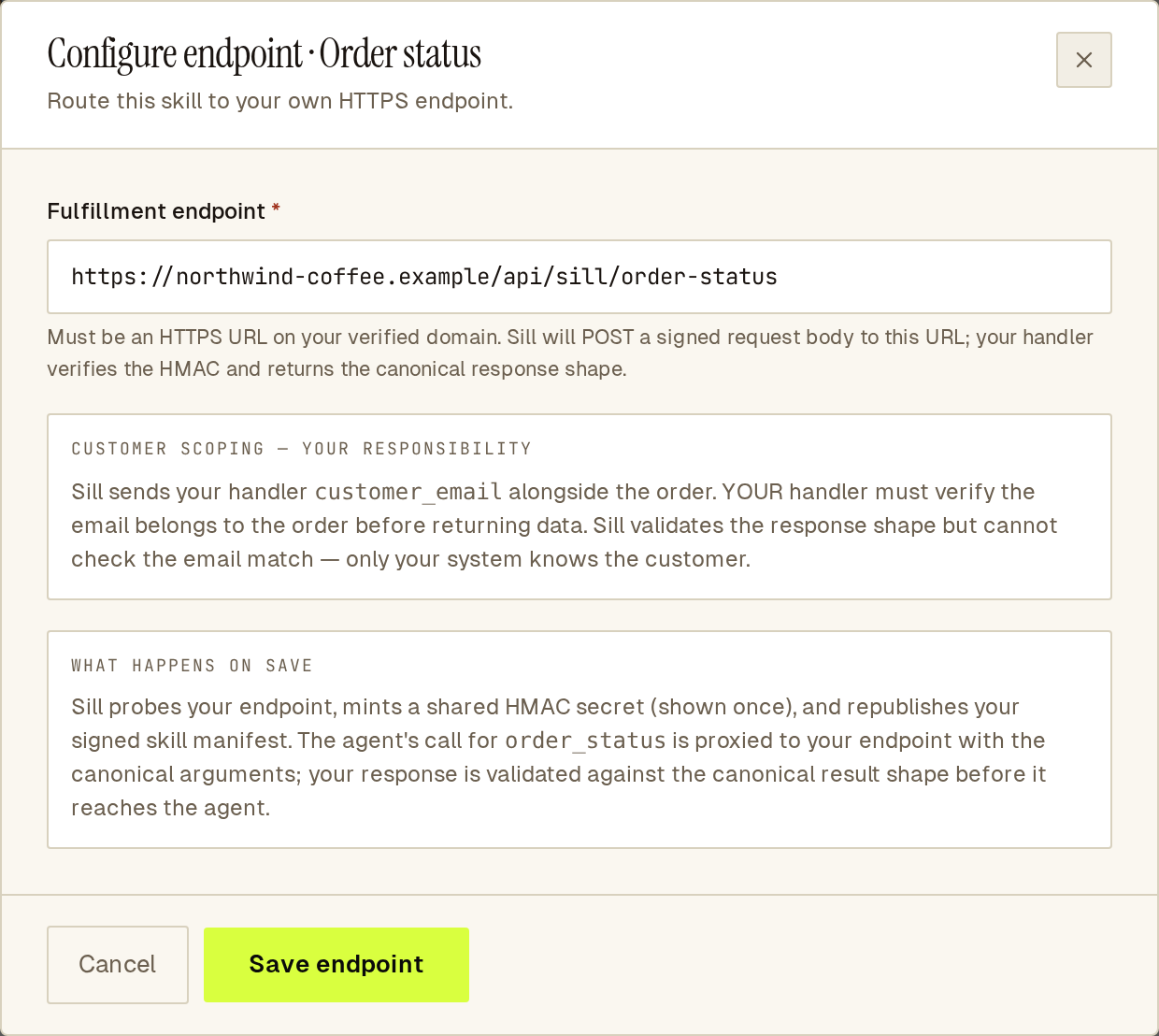 Point a read skill at your own endpoint; Sill signs every request it sends you.
Check the customer before you answer
Section titled “Check the customer before you answer”For order_status and track_shipment, Sill sends the order_id and the customer_email the agent supplied. Your endpoint must confirm the email belongs to that order before returning anything. If it does not match, or the order does not exist, return 404. Only your systems can make that check.
A 404 reaches the agent as a clean “not found” and does not count against your endpoint. Any other error status, a timeout or a response in the wrong shape counts as a failed call. After 3 failed calls in a row, the skill shows UNREACHABLE in Settings → Skills and Sill stops listing it to agents. Sill re-checks the endpoint on its own (after about 5 minutes, 15 minutes, 1 hour, then hourly) and lists the skill again when a check passes. To re-check straight away after a fix, click Re-run activation battery. See When a skill is marked unreachable.
Before going live, run the endpoint self-test against your own data. It catches what Sill cannot see, such as returning an order for the wrong email.
Already on a supported platform?
Section titled “Already on a supported platform?”If your store is connected through Shopify or WooCommerce, the skills that platform supports are answered for you. Use your own endpoint for the skills your platform does not cover, or when you would rather answer from your own systems.
See also
Section titled “See also”- Skills
- Skill Fulfillment Contract
- Custom skills: skills of your own, beyond the seven defaults.